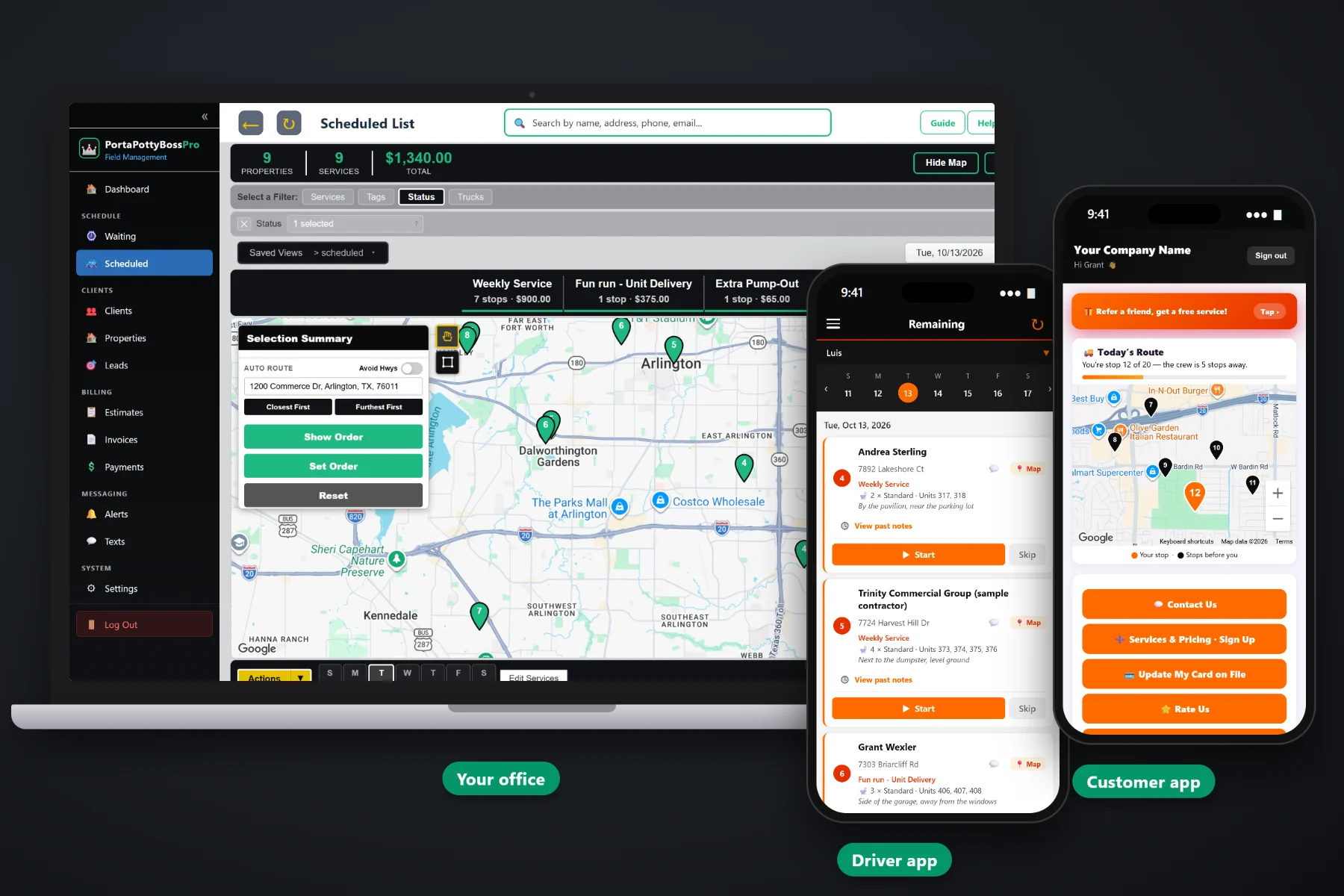
A contractor is not one address. It is a main office that pays the bills, a project manager who orders units, a superintendent at every site, and a list of job sites that changes every few weeks. PortaPottyBossPro keeps every site under one contractor account, with its own contacts, gate notes, units, weekly service and rental days, and sends the contractor one monthly statement with every line labeled by site address.
General contractors, home builders, roofers and commercial builders all rent the same units, but they run their jobs very differently. This page covers the construction side of the software. To see how construction accounts fit with routing, the driver app, events and billing for every other customer, start at PortaPottyBossPro and come back here for the contractor detail.
Each contractor is one client. Each project or lot is a job site under it, with its own address, sales tax, contacts and notes.
Put the superintendent on each site so the office and drivers reach the person standing at the gate, not the main office line.
Standard, ADA Accessible, High-Rise / Crane, Hand Wash Station and more, with quantity, unit numbers and placement notes.
Set the minimum days between visits and each site comes due by itself on the Waiting List map. Nobody keeps a calendar.
Delivered and picked-up dates, days included and a per-day rate after. Extra days land on the invoice automatically.
Set a contractor to Monthly and they get one statement covering every job at every site, each line labeled with the site address.
Construction sites change every week. A new gate, a new code, a new super, units moved behind the next building. PortaPottyBossPro keeps that on the job site and puts it on the driver's phone with every stop, so any driver can run any construction route without calling the office from the curb.
The mistake that breaks construction billing is a new customer for every project. In PortaPottyBossPro the contractor stays one account for years, and each new project is a few minutes of work.
Add the company once with its billing contact, a Contractor or Builder tag, custom fields such as a vendor number, and card on file or Monthly billing.
Every project or lot is a site under the contractor, with its own address, sales tax, superintendent and gate and access notes.
Record unit type, quantity, unit numbers and placement on the delivery, then set weekly service. The rental clock starts on the delivered date.
Service comes due on the Waiting List, drivers work it from their phones, and the contractor gets one statement covering every site.
Most software assumes one customer has one address and gets one invoice per job. A builder has thirty lots, a general contractor has six projects and three supers, and both want one bill. Squeeze that into a one-address system and the office spends every month end merging invoices by hand.
Ask any porta potty owner where construction accounts go wrong and you will hear the same list. Two extra units dropped and never added to the bill. A super who changed jobs and a driver calling a dead number. A lot that closed while the unit sat there for another six weeks. A bookkeeper who cannot tell which project a charge belongs to and holds the whole payment.
All of that is information that belongs on the job site, not in one dispatcher's head. When the site carries its own contacts, notes, units and rental days, every unit gets serviced and every unit gets billed.
PortaPottyBossPro keeps the contractor, every site, every unit and every statement in one place, from the first quote to the final pickup.
Every tool here exists so builders get units where they want them, service on a dependable day, and a bill their accounting team can actually process.
One contractor, as many sites as they run. Each site has its own address, sales tax, contacts and notes.
Superintendents and foremen on each site, with the project manager and accounts payable on the client.
Gate codes, lockboxes, hours and check-in rules shown to the driver with every stop at that site.
Standard, Deluxe Flushing, ADA Accessible, High-Rise / Crane, Hand Wash Station and Restroom Trailer.
Every delivery records how many units and which unit numbers, so service and billing match what is on the ground.
Minimum days between visits, so each site comes due on its own and shows on the Waiting List map by status.
Each addition is its own delivery with its own delivered date, so later units bill from the day they arrived.
Schedule a relocate from your service list with new placement notes, and keep a record of every move.
"Out since 10/3 (12 days, 4 extra)" on the lists, with extra rental days added to the invoice automatically.
One statement per contractor per month covering every job at every site, each line labeled with the site address.
Charge smaller contractors and roofers on completion or on a schedule. They update their own card in the customer app.
Drivers take photos in the app at delivery, service, moves and pickup. They stay with the job for any later question.
Text supers from the office and see replies tied to the client. Automatic on-the-way and arrived texts too.
Supers request extra pump-outs and pickups, watch the route on a live map, and see and pay invoices.
Contractor and Builder tags to filter construction accounts, custom fields for vendor numbers and terms.
See what each contractor is worth across every site. Plans are Start $59, Pro $89 and Crew $199 per month.
Set weekly service on a site once and every visit comes due by itself from the minimum days between visits. The Waiting List map shows every due site colored by status: not due yet, due now, or overdue past a seven-day grace. The dispatcher assigns them to a truck and day, auto-routes Closest First or Furthest First from the yard, and drags the crane site into its time window. For the full walkthrough, read Construction Porta Potty Rental Software: The Complete Guide to Running Contractor Accounts.
A general contractor with six projects does not want sixty invoices. Set the account to Monthly and the contractor gets one statement each month covering every job at every site, each line labeled with the site address and taxed for that site. Extra rental days are listed on their own line, and job records and photos back up every charge. Smaller contractors and roofers can stay on card on file, charged when the job is completed or on a schedule.
Every plan handles contractor accounts with as many job sites as they run. Every plan starts with a 14-day free trial and no credit card.
Compare plans on the pricing page.
Yes. A contractor is one client, and each project or lot is a job site under that client. Each site has its own address, sales tax, site contacts, gate and access notes, units and jobs, and new projects are added as new sites on the same account.
Set the contractor to Monthly and they get one statement each month covering every job at every one of their sites, each line labeled with the site address. Contractors who prefer to pay per job can keep a card on file, charged when the job is completed or on a schedule.
Yes. Unit types include Standard, Deluxe Flushing, ADA Accessible, High-Rise / Crane, Hand Wash Station and Restroom Trailer. Each delivery records the unit type, quantity, unit numbers and placement notes, and they show on the office lists and the driver's phone.
Each rental records the delivered date, the picked-up date, the days included and a per-day rate after that. The lists show how long units have been out, and extra days are added to the invoice automatically as "Extra rental days."
Yes. In the customer app, a super can request service such as an extra pump-out or a pickup, see today's route on a live map, and set alert preferences. The contractor can also see invoices, pay online and update the card on file.
Start is $59/month, Pro is $89/month, and Crew is $199/month. You are never billed per user, and every plan starts with a 14-day free trial with no credit card.
Construction accounts are one piece of how PortaPottyBossPro runs a portable toilet company. For routing, the driver app, event rentals and billing for every customer, see the full PortaPottyBossPro platform overview.
Practical reading on serving general contractors, home builders, roofers and commercial builders: job sites and supers, weekly service, high-rise units and hand wash stations, moves and pickups, monthly statements, texting and keeping builders coming back.
Job sites, site contacts, units, weekly service, rental days and monthly statements for every contractor you serve. Try PortaPottyBossPro free for 14 days.